
Photo & Signature Resizing for College Admissions: DU, JEE, NEET & CUET Specs
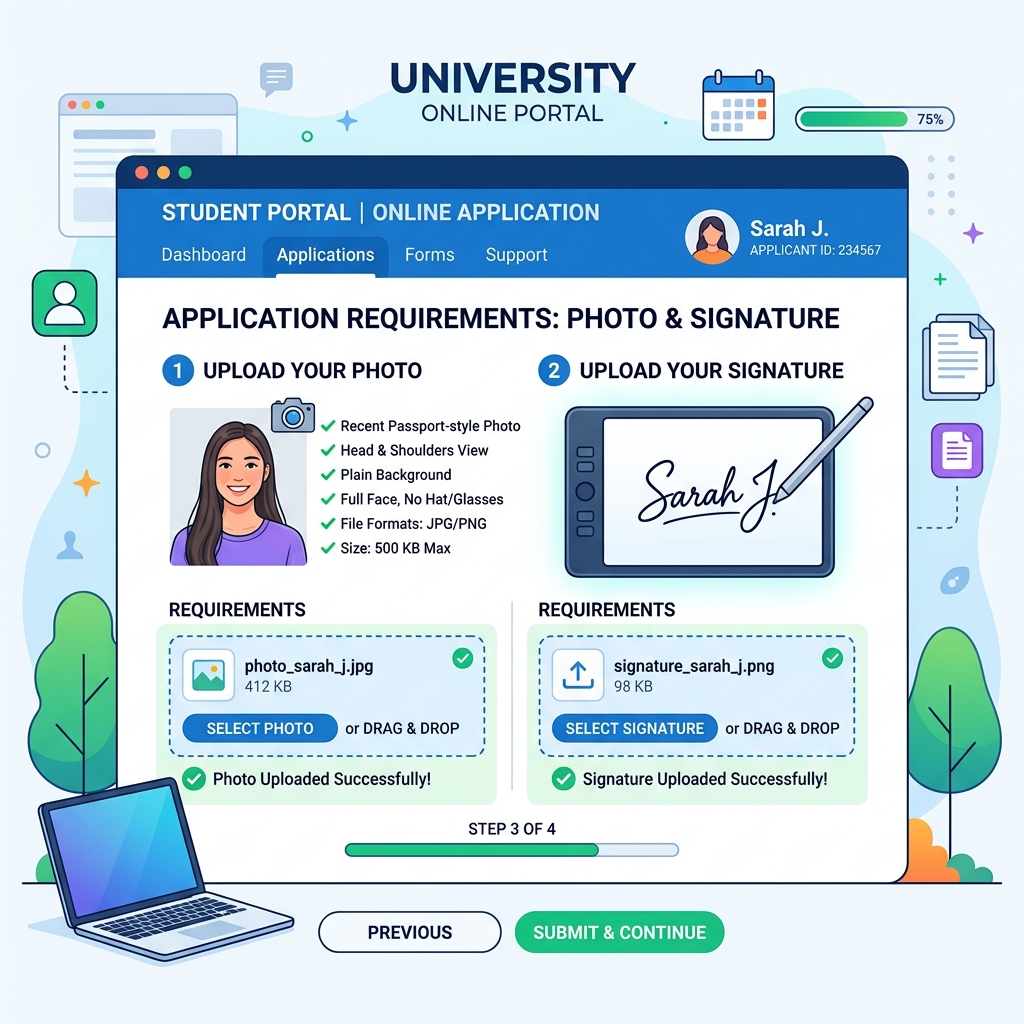
During annual entrance exam registrations and university admission cycles across India, hundreds of thousands of student applicants encounter frustrating portal error messages: _"Uploaded file size exceeds 50 KB"_, _"Aspect ratio invalid"_, or _"Dimensions must be exactly 200 × 230 pixels"_.
Because modern smartphones capture 4 MB to 12 MB high-resolution photographs, downscaling your image file size to match strict portal constraints without blurring your face or signature is essential for successful form submission.
Official National Admission Portals Specification Table (2026)
Review the exact photo, signature, and postcard photo specifications enforced by major Indian examining authorities and top public universities:
| Examination / Portal Authority | Document Type | Allowed File Size (KB) | Allowed Pixel Dimensions / Aspect Ratio | Format |
|---|---|---|---|---|
| JEE Main (NTA Portal) | Passport Photo | 10 KB – 200 KB | 3.5 cm × 4.5 cm (350 × 450 px) | JPG / JPEG |
| JEE Main (NTA Portal) | Signature | 4 KB – 30 KB | 3.5 cm × 1.5 cm (350 × 150 px) | JPG / JPEG |
| NEET UG (NTA Portal) | Passport Photo | 10 KB – 200 KB | 3.5 cm × 4.5 cm | JPG / JPEG |
| NEET UG (NTA Portal) | Postcard Photo (4×6) | 10 KB – 200 KB | 4 inch × 6 inch (400 × 600 px) | JPG / JPEG |
| NEET UG (NTA Portal) | Left & Right Thumb Impressions | 10 KB – 200 KB | Horizontal aspect ratio | JPG / JPEG |
| CUET UG / PG (NTA) | Passport Photo | 10 KB – 200 KB | 350 × 450 pixels | JPG / JPEG |
| Delhi University (DU CSAS Portal) | Passport Photo | 10 KB – 50 KB | 200 × 230 pixels | JPG / JPEG |
| Delhi University (DU CSAS Portal) | Signature | 10 KB – 50 KB | 140 × 60 pixels | JPG / JPEG |
| State Universities (IPU, BHU, MU) | Passport Photo | 10 KB – 50 KB | 200 × 230 pixels | JPG / JPEG |
Why Portals Enforce Strict KB and Pixel Limits
University application systems process millions of uploads simultaneously during registration deadlines:
- Database & Server Performance: Enforcing tight file size constraints (under 50 KB or 200 KB) allows NTA and university servers to store millions of documents efficiently without crashes or bandwidth bottlenecks.
- Admit Card & Hall Ticket Printing: Locked pixel dimensions (such as 200 × 230 px) ensure student photos fit precisely into pre-formatted admit card template frames, attendance sheets, and official degree certificates.
- Automated Facial Verification: NTA exam centers use AI facial recognition software at examination entry gates. Sharp, properly proportioned photos prevent authentication failures on exam day.
Detailed Step-by-Step Guide: Resizing Photos to 50KB or 200KB
Follow this simple workflow to prepare your application documents error-free:
Step 1: Capture a Clear Source Photograph
- Stand in front of a plain white or light-colored background in good daylight.
- Ensure your face is centered, both ears are visible, and there are no dark shadows across your cheeks.
- Take a clear photo using your smartphone camera.
Step 2: Crop to Passport Proportions (3.5 × 4.5 cm or 200 × 230 px)
- Open our free Passport Size Photo Maker or image cropper tool.
- Drag the crop grid over your photo, keeping your face aligned in the upper two-thirds of the frame.
- Set target output dimensions to 200 × 230 pixels or standard 35×45mm ratio.
Step 3: Compress File Size to Specified Threshold (Under 50 KB)
- If your cropped photo exceeds the portal's KB limit, select your target maximum file size (e.g., 50 KB).
- Our smart client-side compression algorithm reduces file payload while preserving sharp facial features and text clarity.
- Download the final compressed JPG file directly to your device.
How to Prepare Your Digital Signature Upload
Signatures require separate preparation to avoid portal rejection:
- Use White Unruled Paper: Sign neatly using a black or dark blue gel/ballpoint pen on unruled white paper.
- Crop Tight: Crop the image tightly around the signature text, removing surrounding blank page space.
- Verify Dimensions: Resize the signature image to 140 × 60 pixels or 3.5 × 1.5 cm, ensuring total file size stays between 4 KB and 30 KB.
Common Registration Portal Errors & Quick Solutions
- Error: "File format PNG is not supported."
- Error: "File size is too small (less than 10 KB)."
- Error: "Aspect ratio mismatch."
Frequently Asked Questions
Can I resize my application photos directly on an iPhone or Android phone?
Yes. All TinyTools image optimization tools run in your mobile web browser without downloading third-party apps or paying subscriptions.
Does compressing my photo to 50 KB reduce image quality?
Our intelligent compression algorithm reduces file overhead by removing unnecessary EXIF metadata and optimizing color quantization while keeping your facial features crisp and clear.
What is the NEET Postcard Photo requirement?
NEET UG requires a larger 4″ × 6″ postcard size photo in addition to a standard passport photo. The photo must feature your full face, white background, and a name tag showing the date of photograph capture printed at the bottom.
Resize Your Admission Photos Instantly
Avoid registration rejection. Use our free, browser-based Passport Size Photo Maker to crop, compress, and format your admission photos and signatures in seconds!